
The picker modal on /pokemon-trainer-card-maker has Nickname, Lv, and Shiny controls that apply only to the slot you are editing. The controls appear once a Pokemon is selected.
Step 1
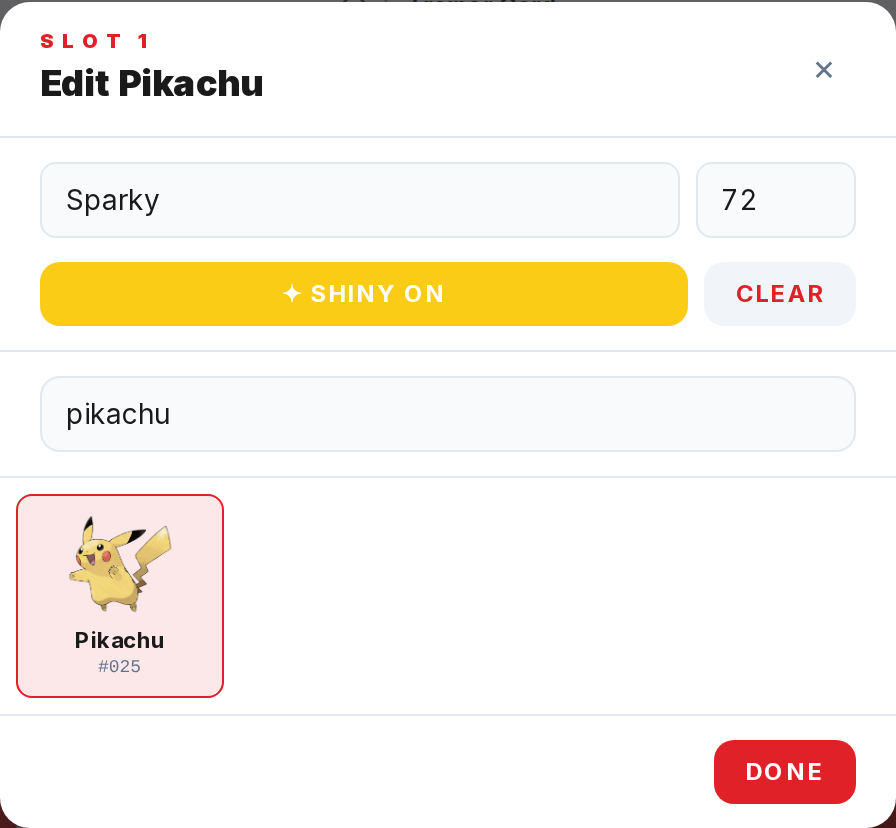
Click an existing slot on the card, or click an empty slot and pick a Pokemon first. The edit strip with Nickname and Lv inputs appears at the top of the modal.
Step 2
Type into the Nickname field. It caps at 12 characters and renders as bold text directly under the sprite on the card.
Step 3
Type a number into the Lv field. Values are clamped between 1 and 100 and render as a small Lv{N} chip in the bottom-left corner of the slot.
Step 4
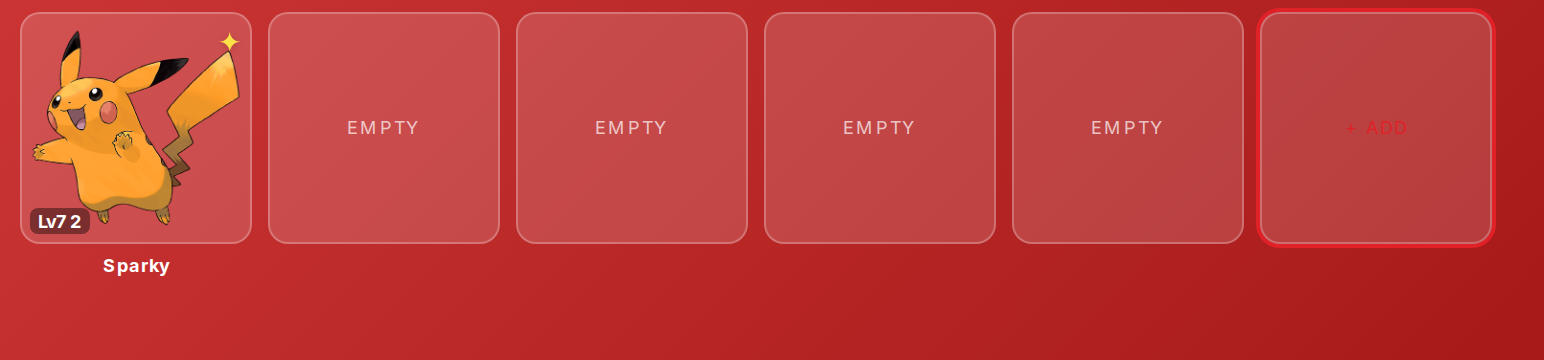
Click the yellow star button to toggle Shiny on. The slot sprite swaps to the shiny artwork and a star icon appears in the top-right corner of the slot.
Step 5
Click Clear inside the modal to empty the slot entirely and dismiss the modal in one step.