
Defensive coverage is the main reason the Team Planner exists. After you drop in your six Pokemon, the panel at the bottom shows how your team responds to every single damage type. Three groupings: wide open, shaky, and solid.
Step 1
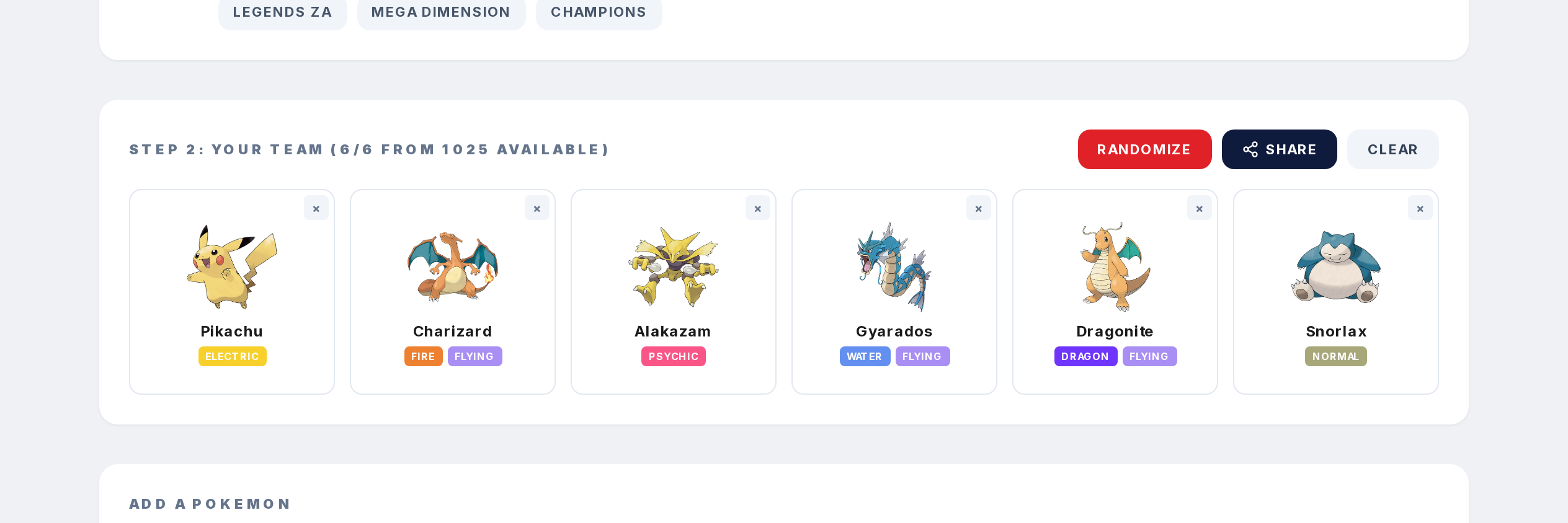
Add at least two Pokemon to your team.
Step 2
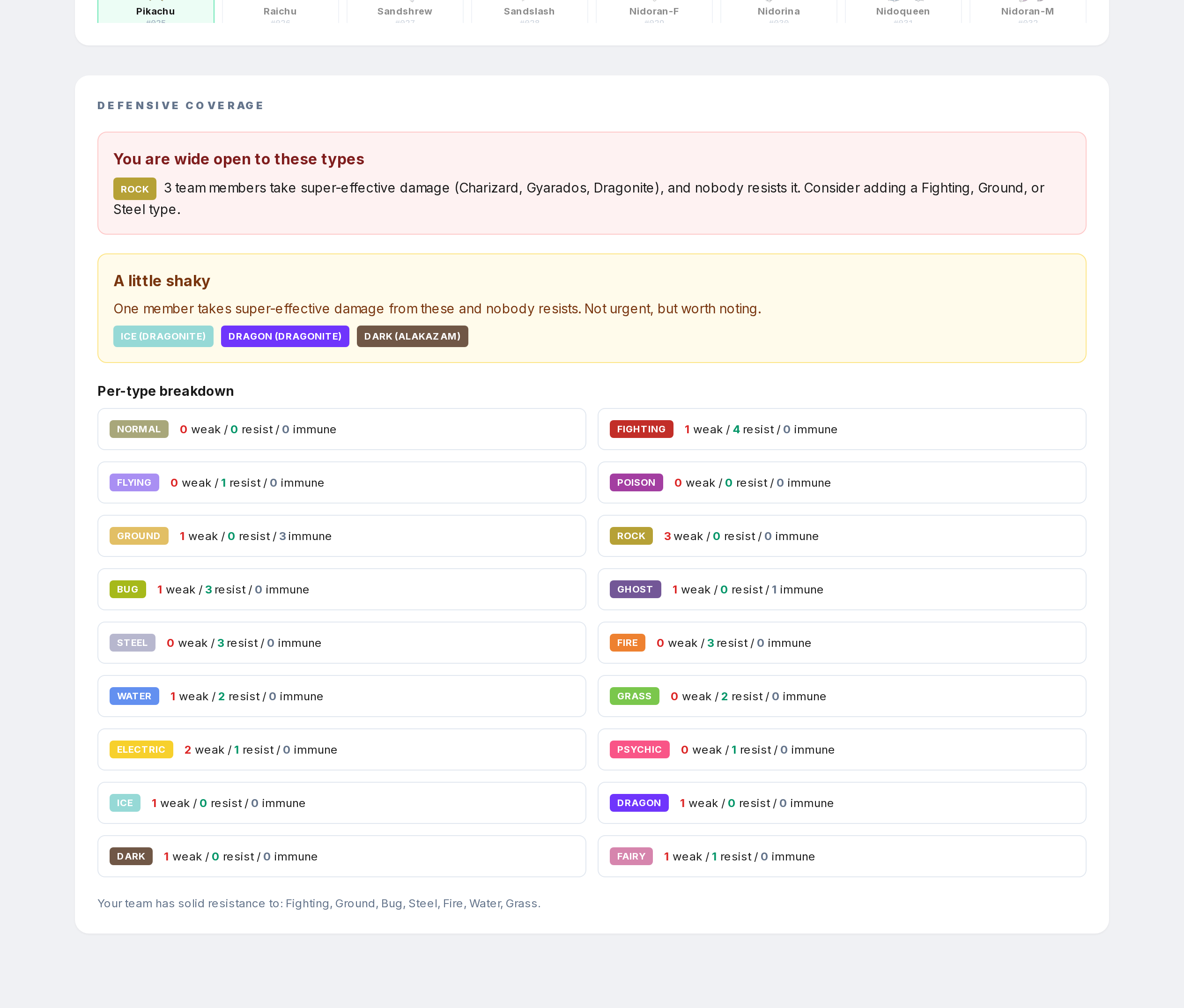
Scroll to the Defensive coverage section.
Step 3
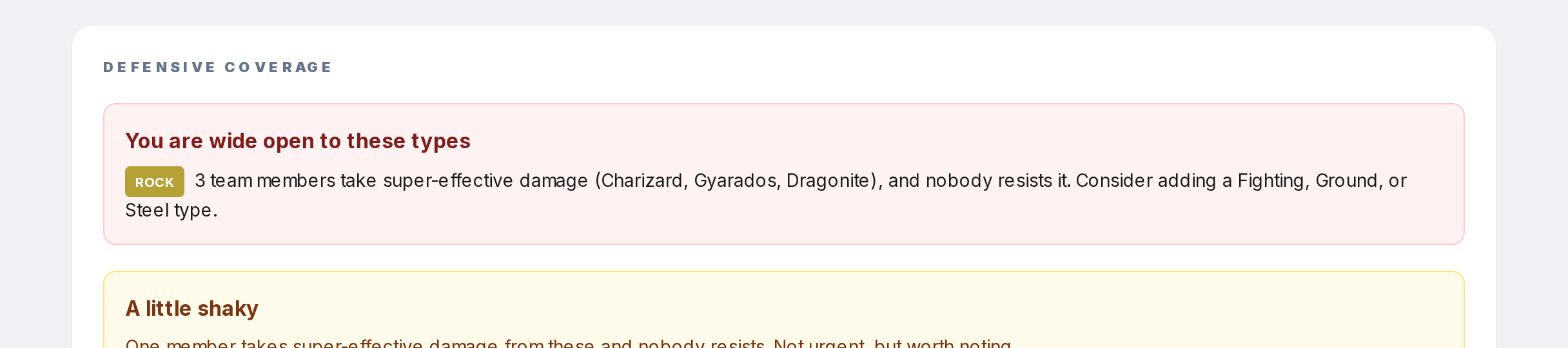
A type goes into "wide open" when two or more of your Pokemon take super-effective damage from it, and not a single Pokemon on your team resists it. Those are the ones that will sweep you.
Step 4
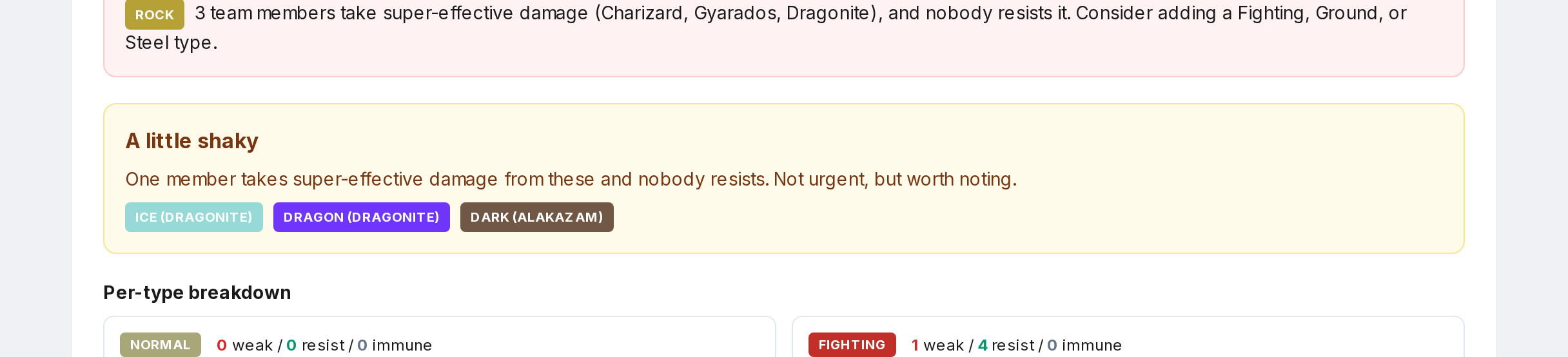
A type goes into "shaky" if just one Pokemon is weak and nobody resists. Less urgent. The per-type breakdown at the bottom gives the exact count of weak / resist / immune for every damage type.