
The Pokemon Type Chart on Pokepedia is a full 18 by 18 matrix that lists every offensive and defensive matchup between Pokemon types. It lives at /pokemon-type-chart.
Step 1
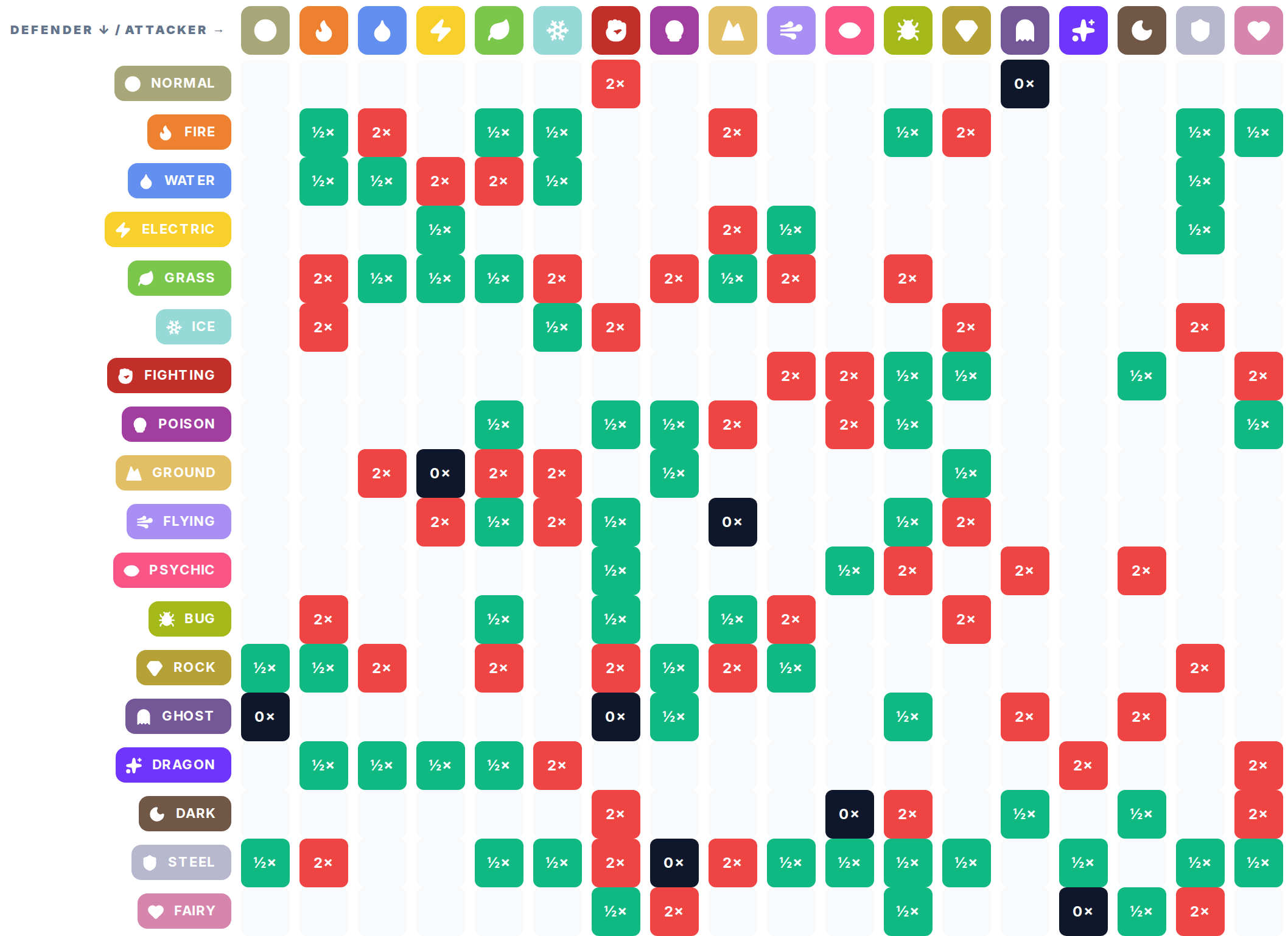
Open /pokemon-type-chart. The first section shows the complete matrix. Rows are defenders, columns are attackers by default, and each cell shows the damage multiplier where the two types meet.
Step 2
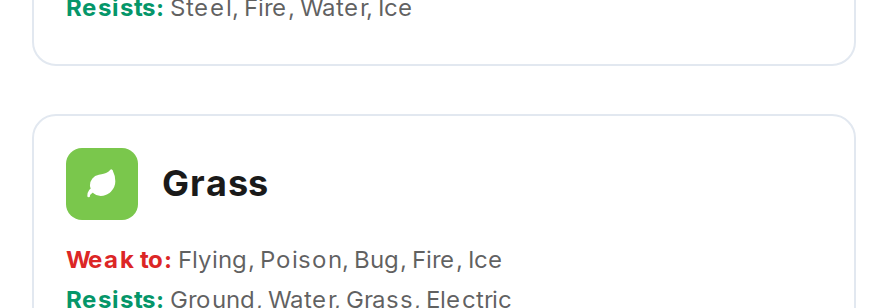
Scroll below the matrix to the "Each type at a glance" grid. Every type gets its own card listing what it is weak to, what it resists, and what it is immune to. Click any card to open the full per-type page.
Step 3

Use the Flip button above the matrix to switch between Defense view and Offense view. Defense view sorts by who is taking the hit, Offense view sorts by who is dealing it. Both views read from the same underlying matchup data.