
Every Pokepedia matchup page has a Game availability section that lists every main-series game where both Pokemon are catchable or obtainable. Use it to plan a playthrough that lets you build a team with both Pokemon in one save file.
Step 1

Go to any matchup URL of the form /compare-pokemon/pikachu-vs-raichu. The example used below is /compare-pokemon/pikachu-vs-raichu.
Step 2
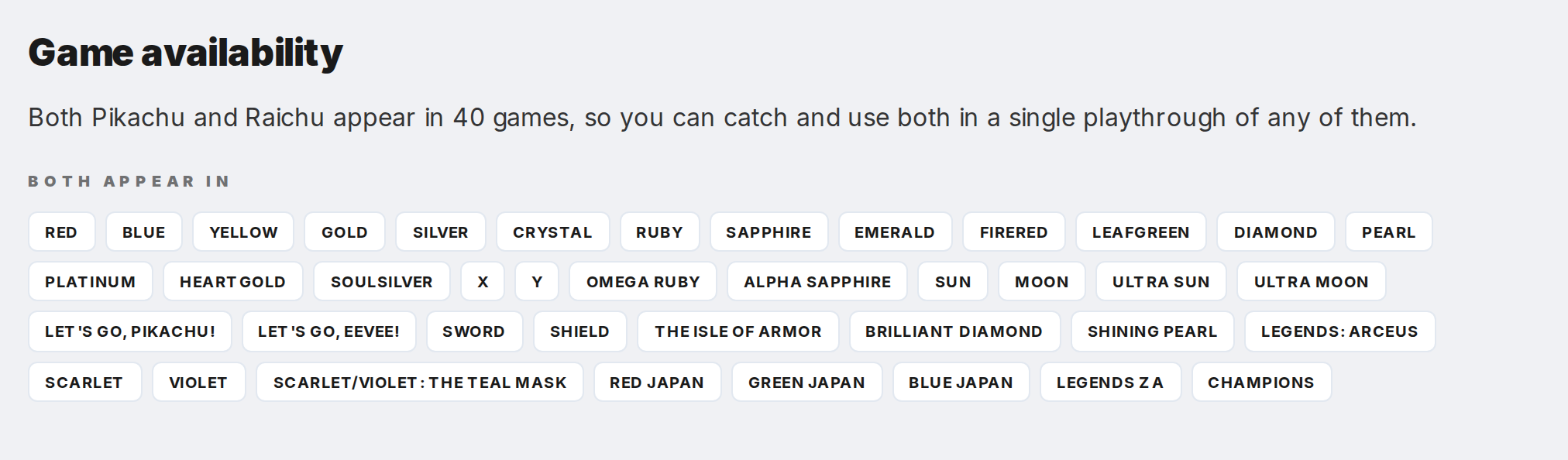
Scroll past the Abilities, stats, and Move overlap sections to reach the Game availability section. The heading is "Game availability" and it appears near the bottom of the matchup page.
Step 3
Read the first paragraph. It states how many games both Pokemon share, how many are exclusive to Pokemon A, and how many are exclusive to Pokemon B. For Pikachu and Raichu the shared count is 40, so any of those 40 games is a valid playthrough for a team with both.
Step 4
Look at the "Both appear in" badge list. Each badge is a game name and clicking it jumps to the per-game Pokedex at /pokemon-scarlet-pokedex. The "Only [Pokemon]" lists beneath show the games where just one of the two is obtainable.
Step 5
Pick a shared game that matches your hardware or your favorite region. Open its Pokedex from the badge to see the full roster, or open the per-game Pokemon detail page at /pokedex/pikachu/pokemon-scarlet to see the exact catch locations, moveset, and sprites for that version.