
Marking a Pokemon as caught changes its sprite from grey to full color and updates your stats. The process works a bit differently depending on whether you're in the main tracker view or a game view.
Step 1
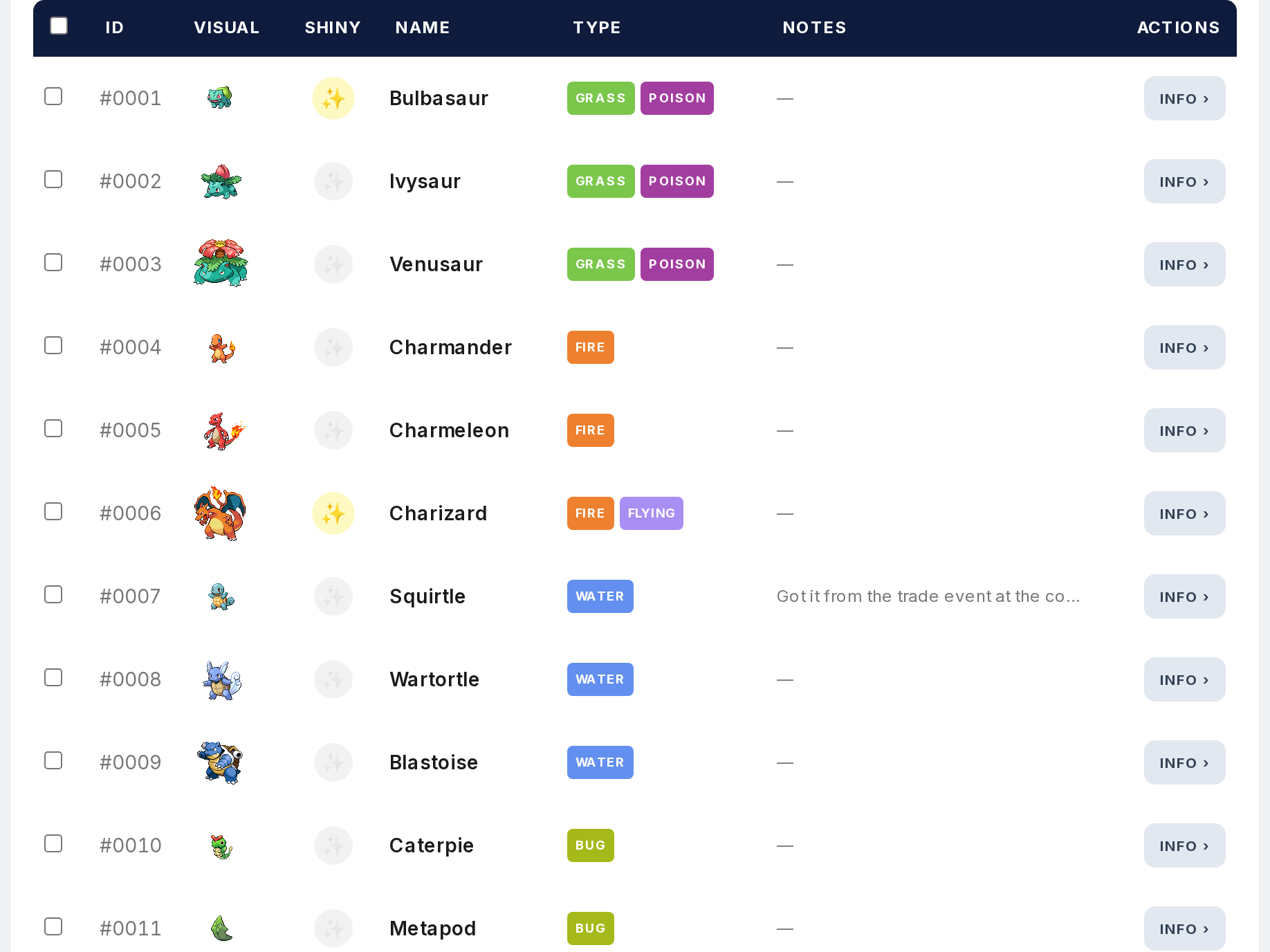
Open the Tracker. You'll see the full Pokemon list with greyed-out sprites for everything you haven't caught yet.
Step 2
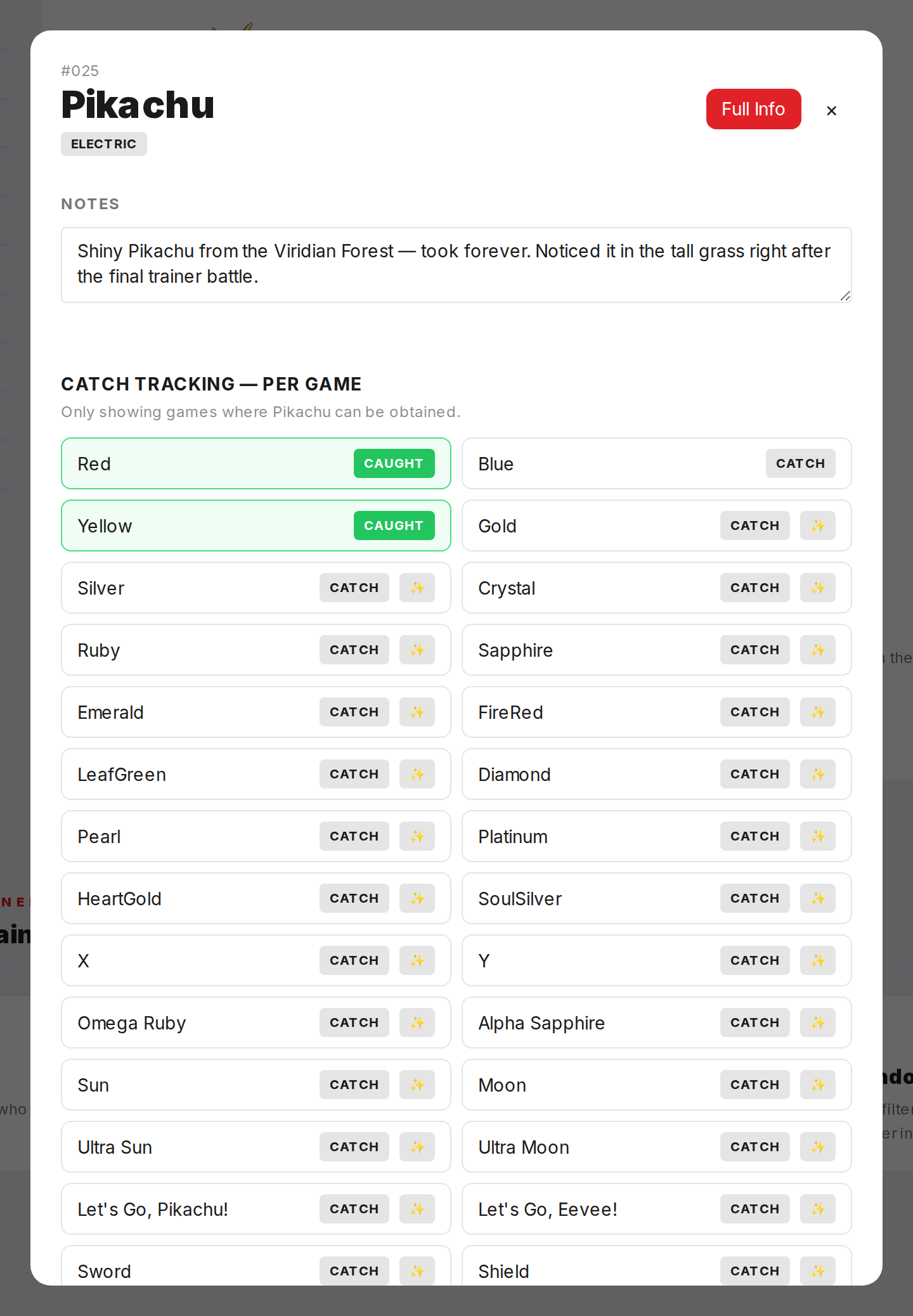
In the main view, click a Pokemon to open a modal. The modal lets you mark it as caught, pick the game, and add notes. Save it and the sprite goes from grey to color. Stats update right away.
Step 3
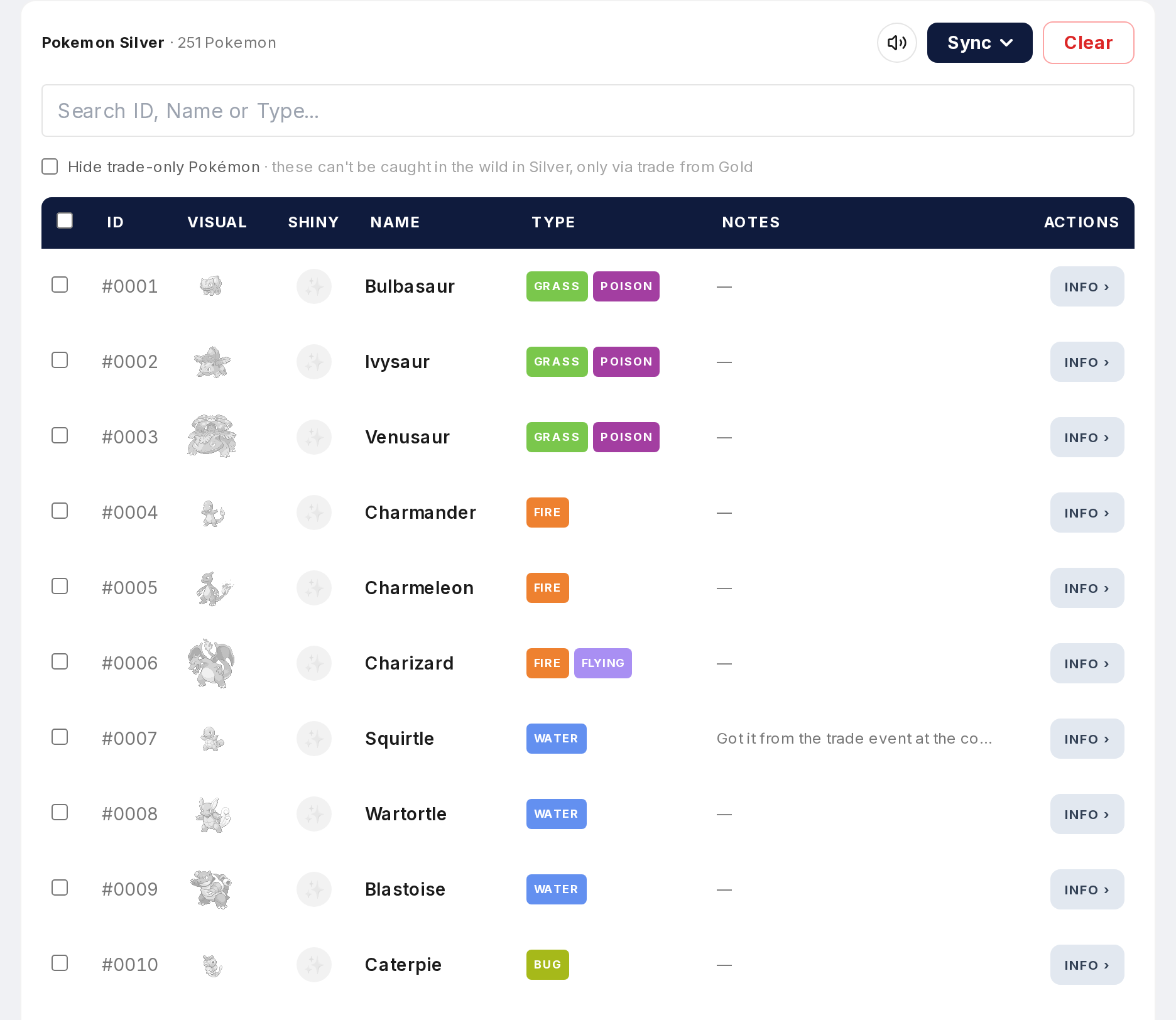
In a game-specific or region-specific view, clicking an uncaught Pokemon marks it as caught for that game instantly. No modal. Faster for logging multiple catches in a row.
Step 4

Catches save to your browser automatically. Next time you visit on the same browser, everything is still there. Your National Dex count, Total Caught, and Games Played stats all update in real time.
Step 5
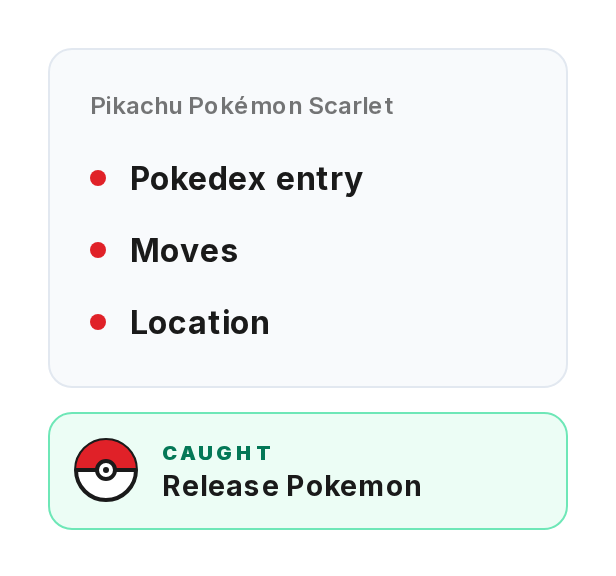
You can also catch from a Pokemon's detail page using the Capture button. It logs the catch for the game you're currently viewing.