
There's a Random Pokemon generator on Pokepedia.com that picks from the National Pokedex. Use it as-is for a totally random pick, or apply filters to control the pool. It also generates full teams of six at once.
Step 1
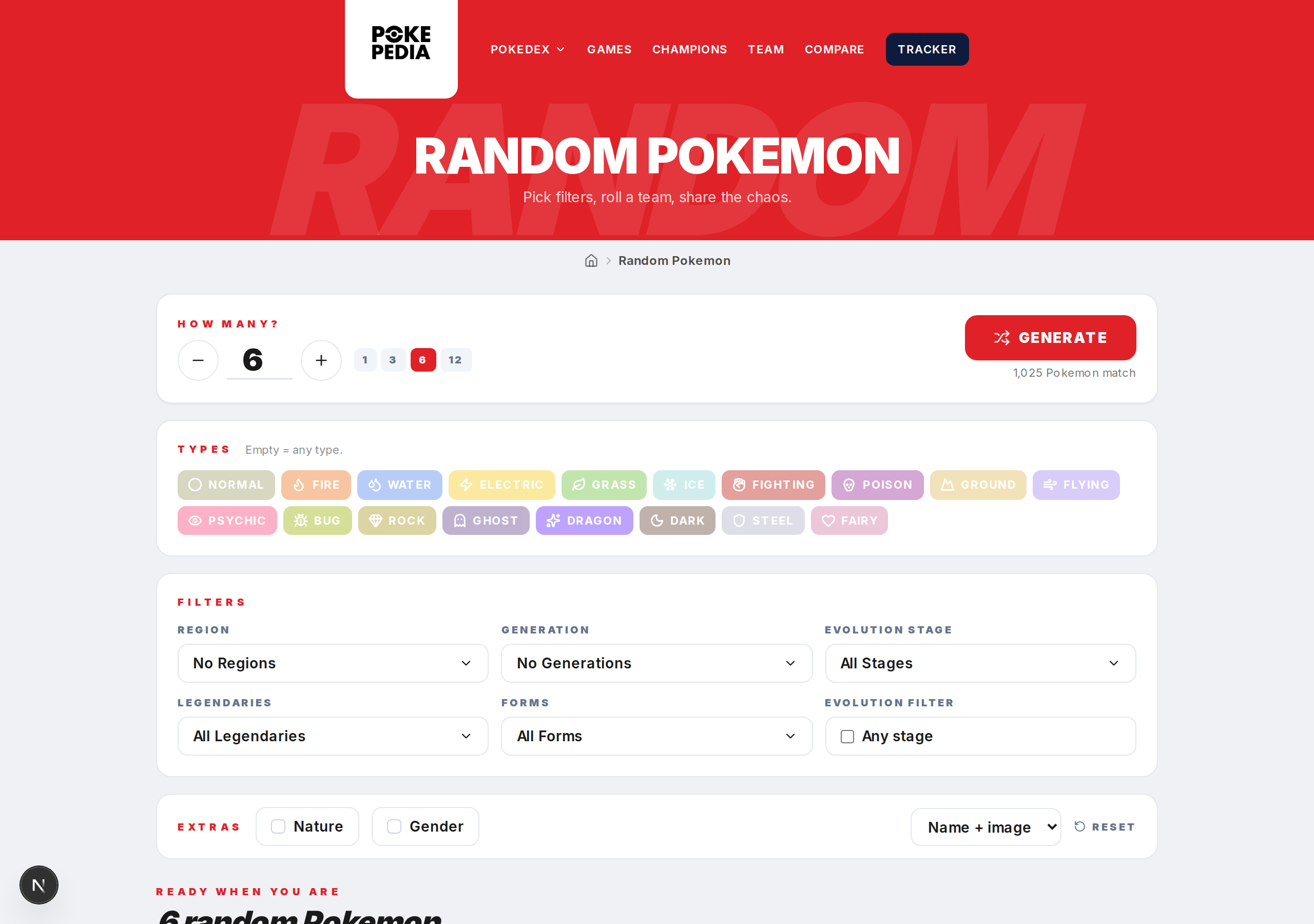
Go to the Random Pokemon page. You'll see filter controls at the top and a Generate button below them.
Step 2

To get a random Pokemon with no restrictions, just click Generate. It picks from every Pokemon across all generations.
Step 3
The Generate button shows a number in parentheses. That's how many Pokemon are in the current pool. When filters are off, it's the full Pokedex. Filters bring that number down.
Step 4
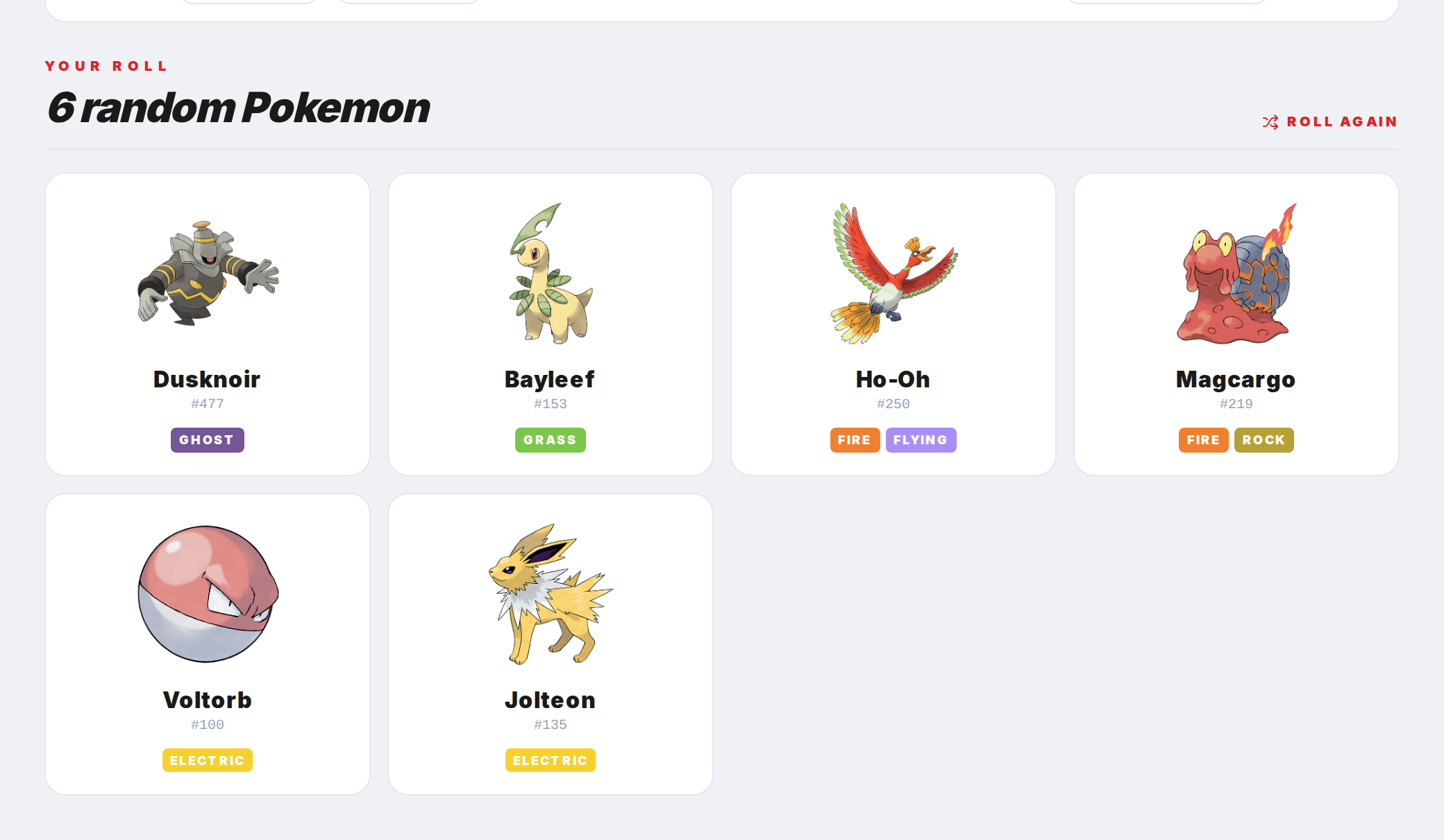
When a Pokemon is generated, you see its name, number, type, and other key info. Click the result to open its full detail page.
Step 5
Click Generate again for another random pick. Each click pulls a new one from the current pool.