
The Pokedex Tracker on Pokepedia has a Clear button in the toolbar that wipes every catch, shiny mark, note, and game record from your browser in one step. You can also clear the site's local storage manually through your browser's developer tools if you want to nuke preferences too.
Step 1
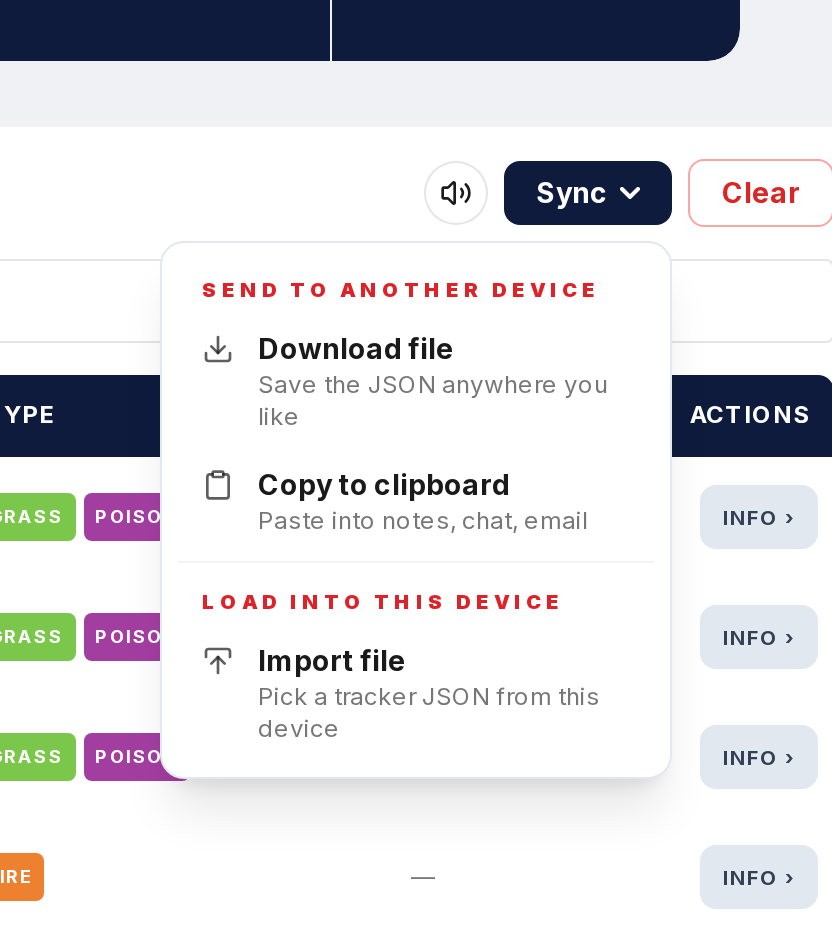
Before you do anything, open the Sync dropdown on the Pokedex Tracker page and choose Download file. Save the JSON somewhere safe in case you change your mind.
Step 2

On the Pokedex Tracker page, click the Clear button in the toolbar. Confirm when prompted. Every caught sprite returns to grey and every counter resets to zero.
Step 3
If you want to erase Pokepedia's local storage entirely (including preferences, not just tracker data), open your browser's developer tools with F12, find Local Storage under the Application or Storage tab, and delete the pokepedia.com entry.
Step 4
On Safari, you can also go to Settings, Privacy, Manage Website Data, search for pokepedia.com, and remove it from the list.
Step 5
Refresh pokepedia.com. The Tracker is empty, all milestones are reset, and preferences are back to defaults.