
The Tracker on Pokepedia.com is a personal collection manager. You log every Pokemon you've caught across every mainline game. Mark catches, track shinies separately, add notes, and watch your completion progress across games, regions, and the overall National Pokedex. Everything saves in your browser. No account needed.
Step 1

Open the Tracker from the navigation menu. You'll see a table of every Pokemon with columns for ID, sprite, shiny indicator, name, type, and a View button for the detail page.
Step 2
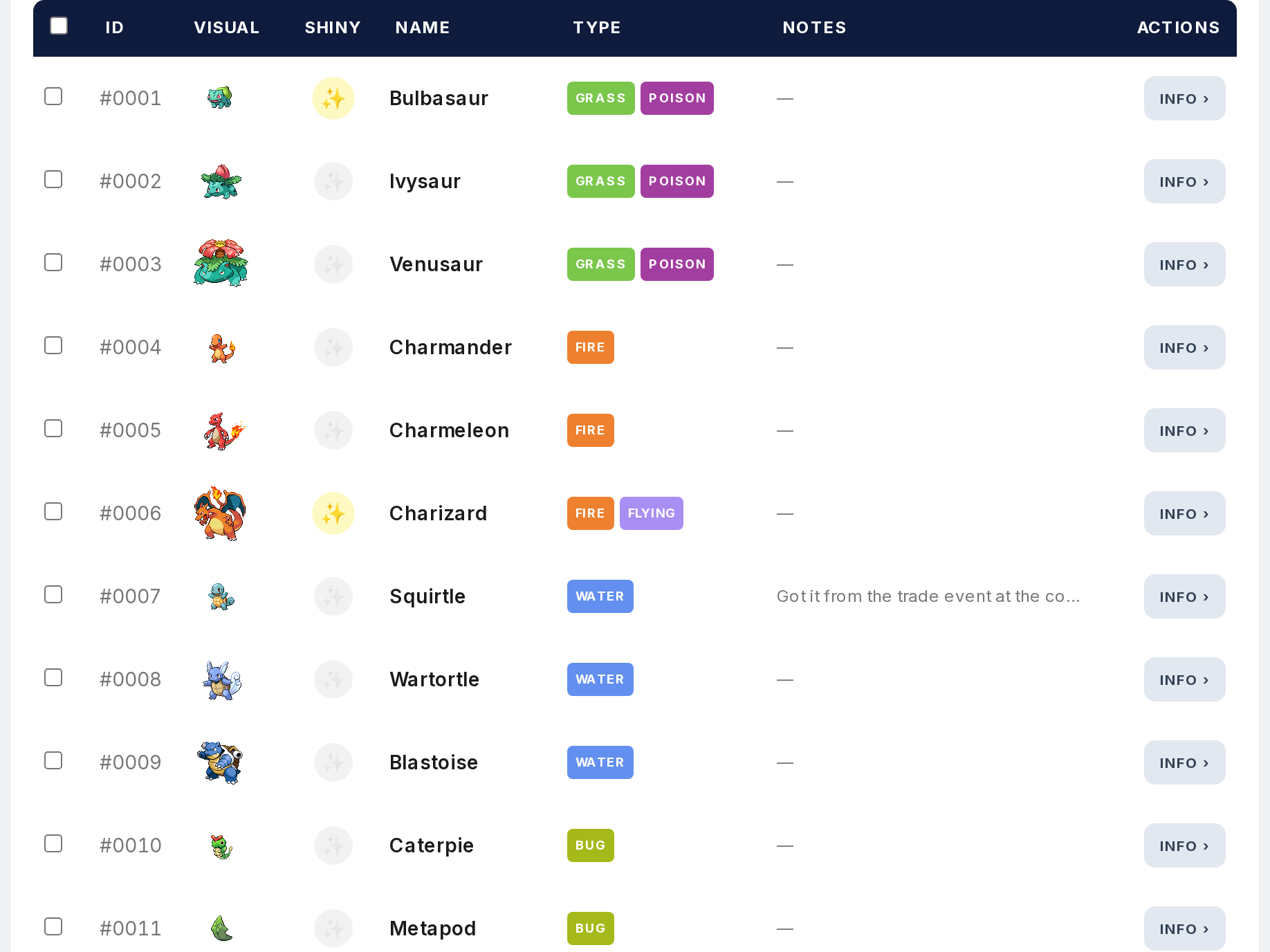
Uncaught Pokemon appear greyed out. Caught ones display in full color. That gives you a visual read on your collection at a glance. Shiny catches get a separate indicator icon.
Step 3

At the top, five stats are displayed: National Dex (unique species caught), Total Pokemon Caught (all catches across all games), Total Shiny, Unique Shiny, and Games Played.
Step 4
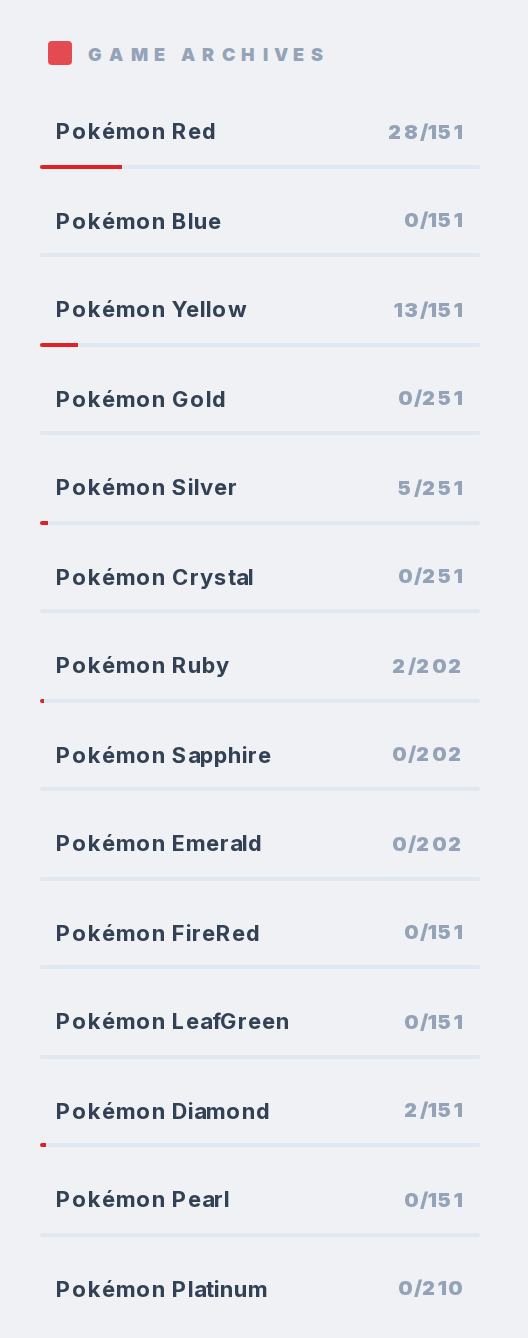
Below the stats, sub-trackers list every game and region with a progress bar. Each bar shows your count versus the total (like "1/151"). Click any game or region to filter the table down to just that set.
Step 5
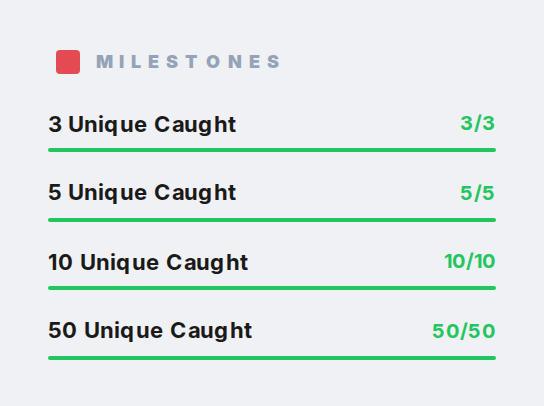
Four achievement milestones are tracked: 3 caught, 5 caught, 10 caught, and 50 caught.