
Catches are tracked separately for every game. Catching Pikachu in Yellow and catching Pikachu in Silver are two independent entries. You can see progress per game, check what's missing, and work toward completing any individual title's Pokedex.
Step 1
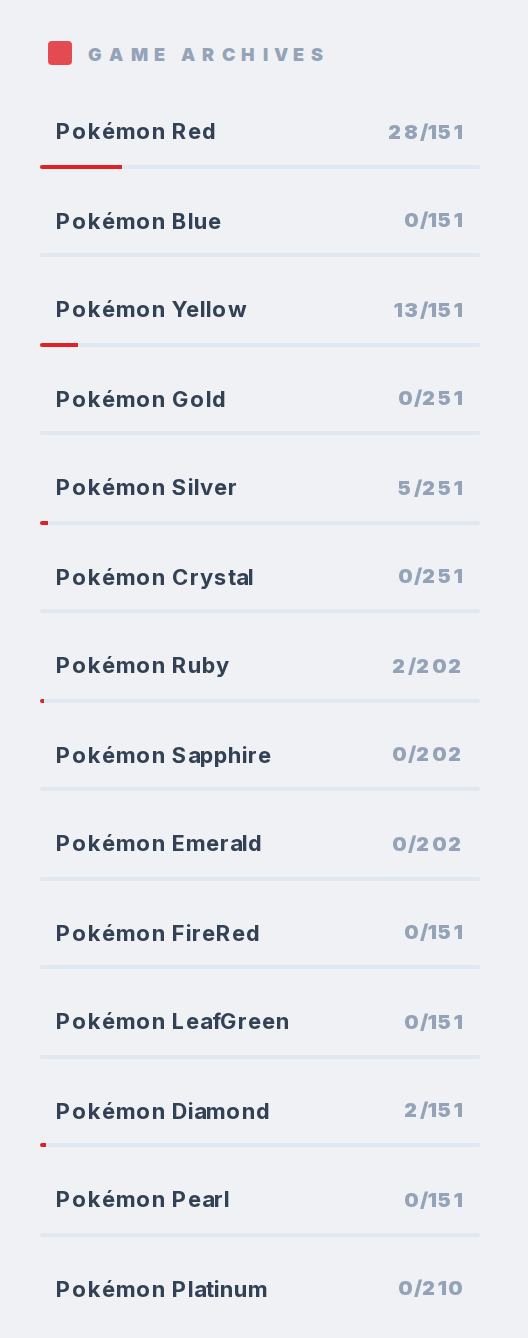
Open the Tracker and look at the sub-trackers section. Every game is listed with a progress bar showing your count versus total (like "0/151" or "45/400").
Step 2
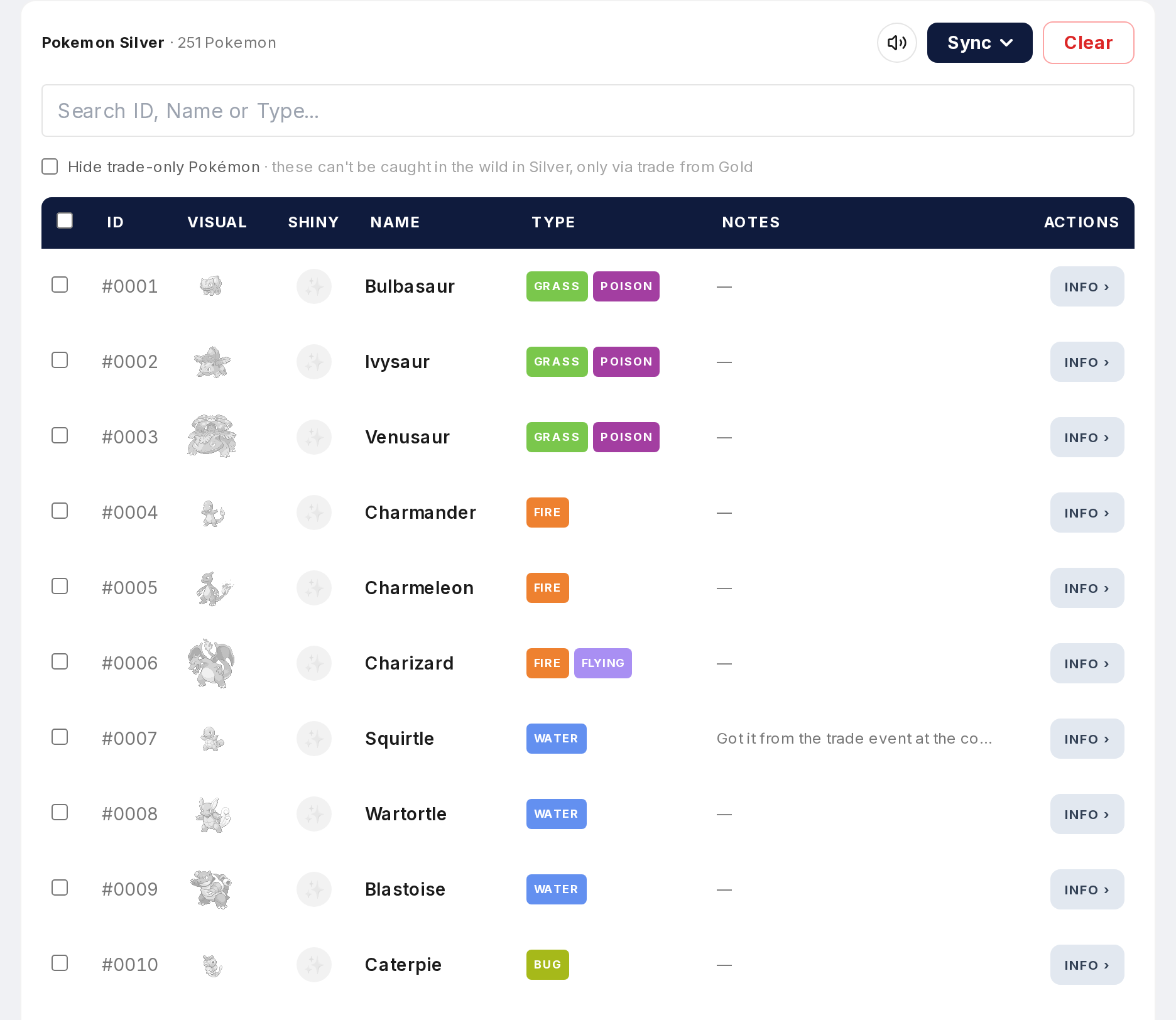
Click a game to filter the table. You'll see only Pokemon available in that game, and caught/uncaught status reflects that specific game. A Pokemon caught in one game might show as uncaught when you switch to another.
Step 3
In the game view, clicking an uncaught Pokemon instantly marks it as caught for that game. No modal, no extra steps. Fast for logging a bunch of catches in a row.
Step 4
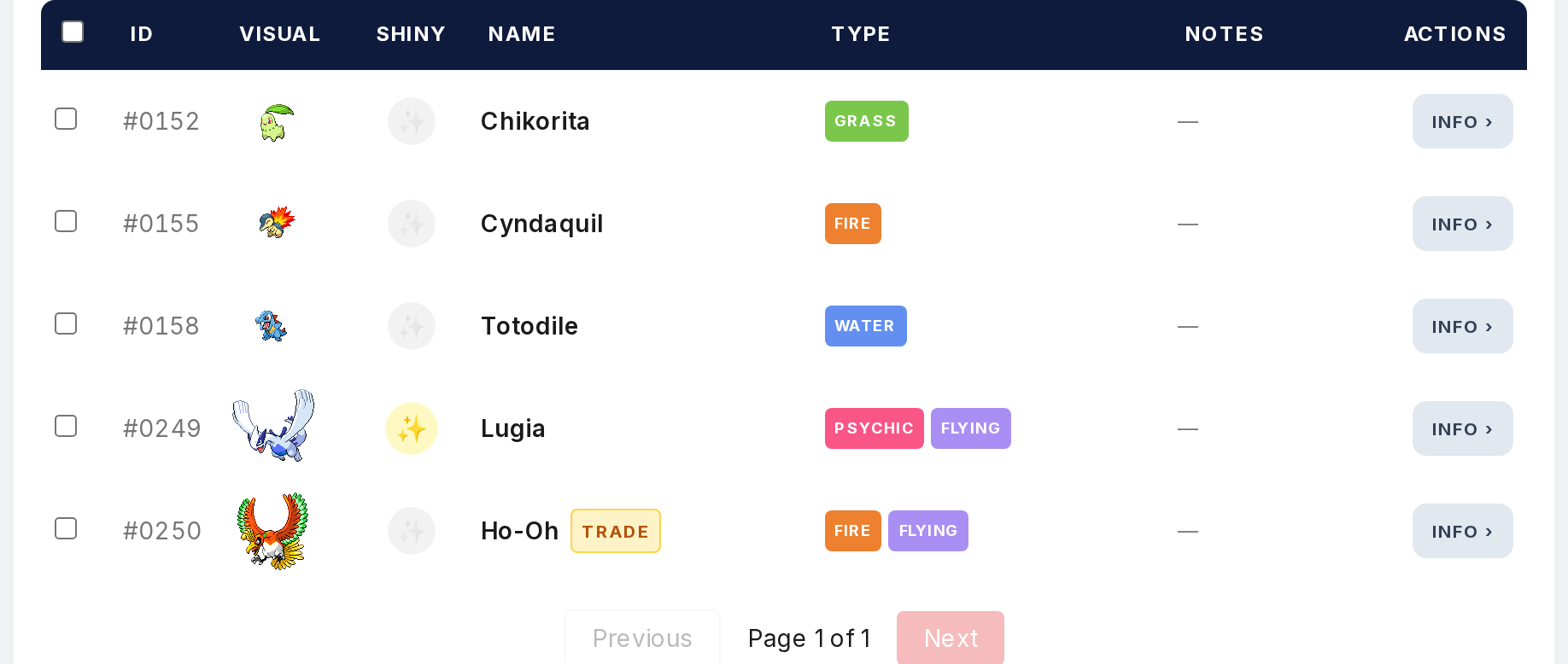
The shiny toggle works per game too. Mark a Pokemon as both caught and shiny for the specific game you're looking at.
Step 5
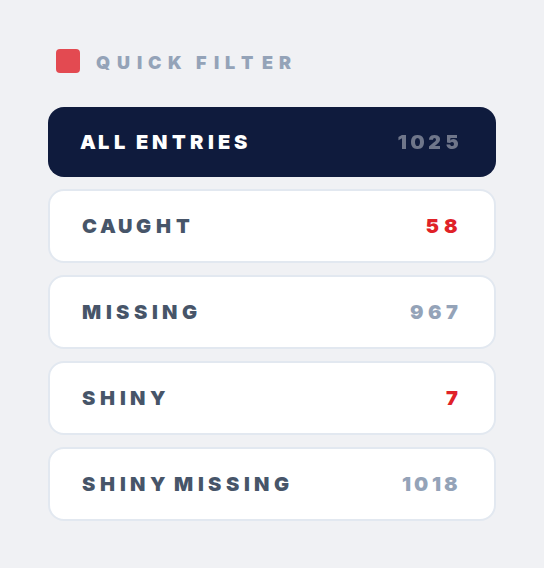
Use the filter options within the game view to show only caught, missing, caught shiny, or missing shiny. Focus on exactly what you still need.